
This guide provides steps to finding scholarly articles and how to use the UCW Library. This guide is particularly useful for UAC 030 students.
On this page there are videos on types of sources and how to find them. You will also find information on why you should use library sources, as well as other tips and tricks for your research.
At the end of this page there is a Research Checklist activity that will guide you through the 5 steps in the research process.
There are many types of sources you can find in and outside the library.
Watch this video to learn more about the different types of sources and the information they might have:
If you are having trouble getting started, Newspapers, Magazines, as well as general Internet searches are all great sources for background reading.
Important note: while Wikipedia is great for ideas, it is not considered a reliable source for your research.
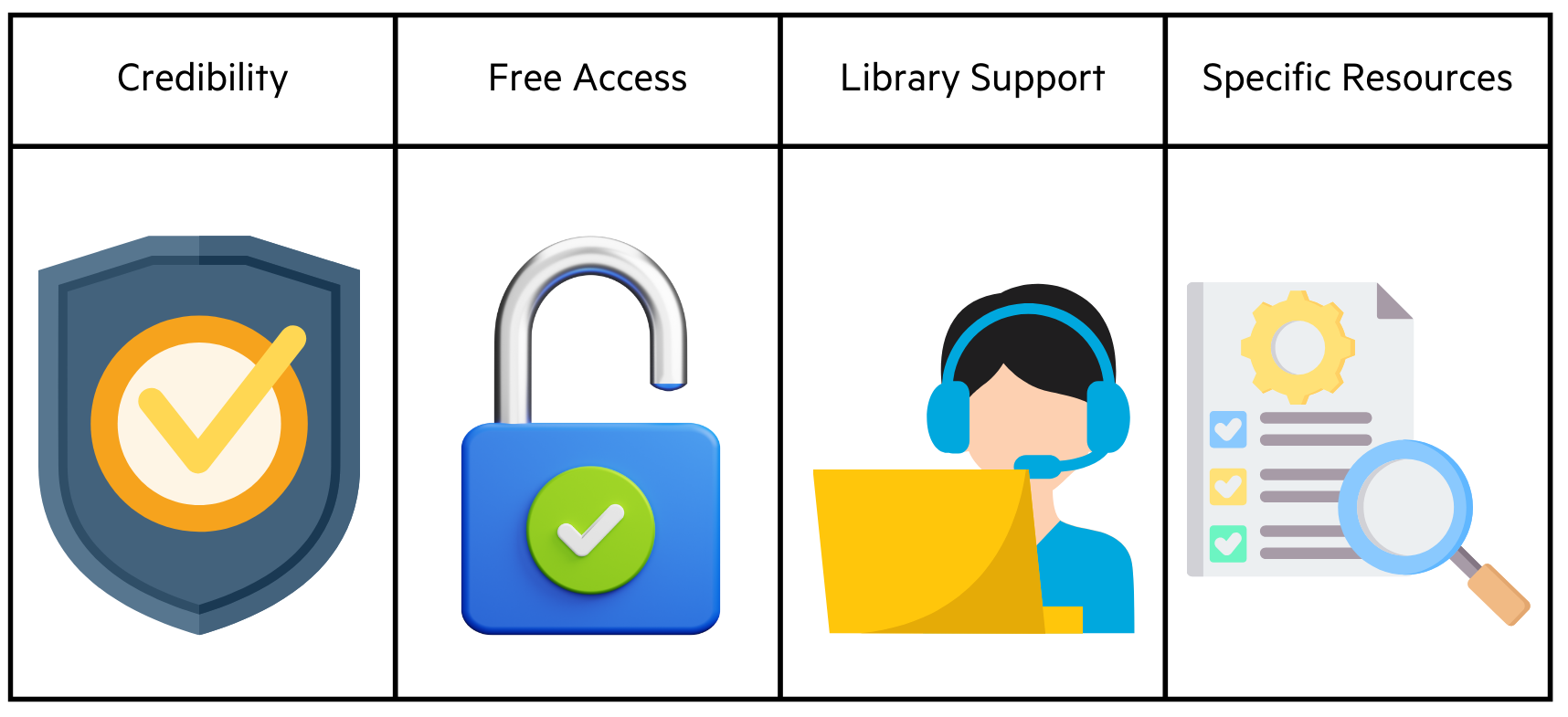
Credibility: When you use Library sources, you ensure that you are using trustworthy sources. If you need help determining if a source is trustworthy or appropriate for your assignment, you can check out the Evaluate guide.
Free Access: The Library provides access to full-text content, meaning, you won't have to pay to read a journal, newspaper or magazine article. If you find an article through a Google search, they may ask you to pay hundreds of dollars to read it.
Library Support: If you find a broken link or get an error message, you can Get Help from a Librarian, and we will support you accessing the resources that you need.
Specific Resources: The library subscribes to many databases (see our Databases A-Z for a full list) that support your studies at UCW. This means that you can make your search more specific, rather than a more general search. You can modify your search depending on the topic area, or the types of sources you are looking for.
If you have worked through the Library Modules, and followed the first steps of Academic Research, Understand and Brainstorm, you now want to find resources using the Library. How can you do that? Watch the video below to learn more:
If you just search "social media" you will get millions of results. Try making your topic more specific by thinking of ways to narrow by groups of people, geographical region, or by subtopics. For example, instead of "social media" being your research topic, try "the effects of social media on the mental health of teenagers."
Remember that UCanSearch and other library databases do not understand whole sentences or research questions. Instead of searching "the effect of social media on the mental health of teenagers" try breaking this up into keywords with AND in the middle of each word. For example, "social media AND mental health AND teenagers"
Different sources may use different words to mean the same thing. By thinking of synonyms (or similar words), and combining them with OR, you can widen your search to include more sources discussing a similar topic. For example, a synonym for "teenagers" might be "adolescents". You can then add this term onto your search like this: "social media AND impact AND teenagers OR adolescents"
Note: Remember, there may not always be a "perfect" source for your assignment! It's important to do your research before making any conclusions.
Reference lists are a great resource for tracking down more useful articles. When you find an article that you like, scroll down to find a reference list with all the citations used by the author(s) of the article.
Here is a screenshot of the reference list in a peer-reviewed journal article:
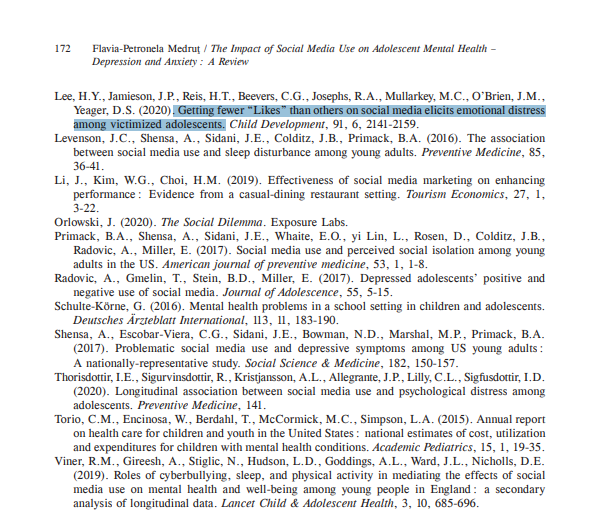
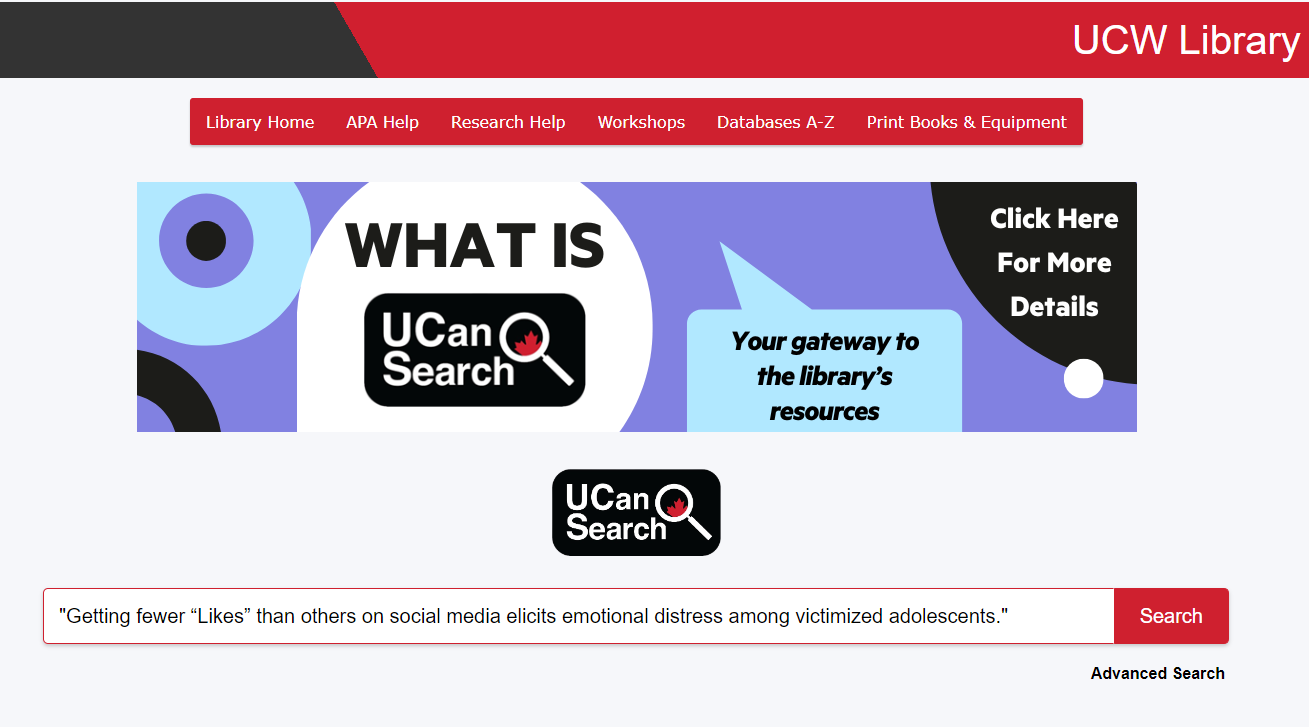
Let's say you thought the highlighted article might be useful. To look it up in the Library, you will copy the title of the article, and paste it in the Library search box using quotation marks, as pictured here:
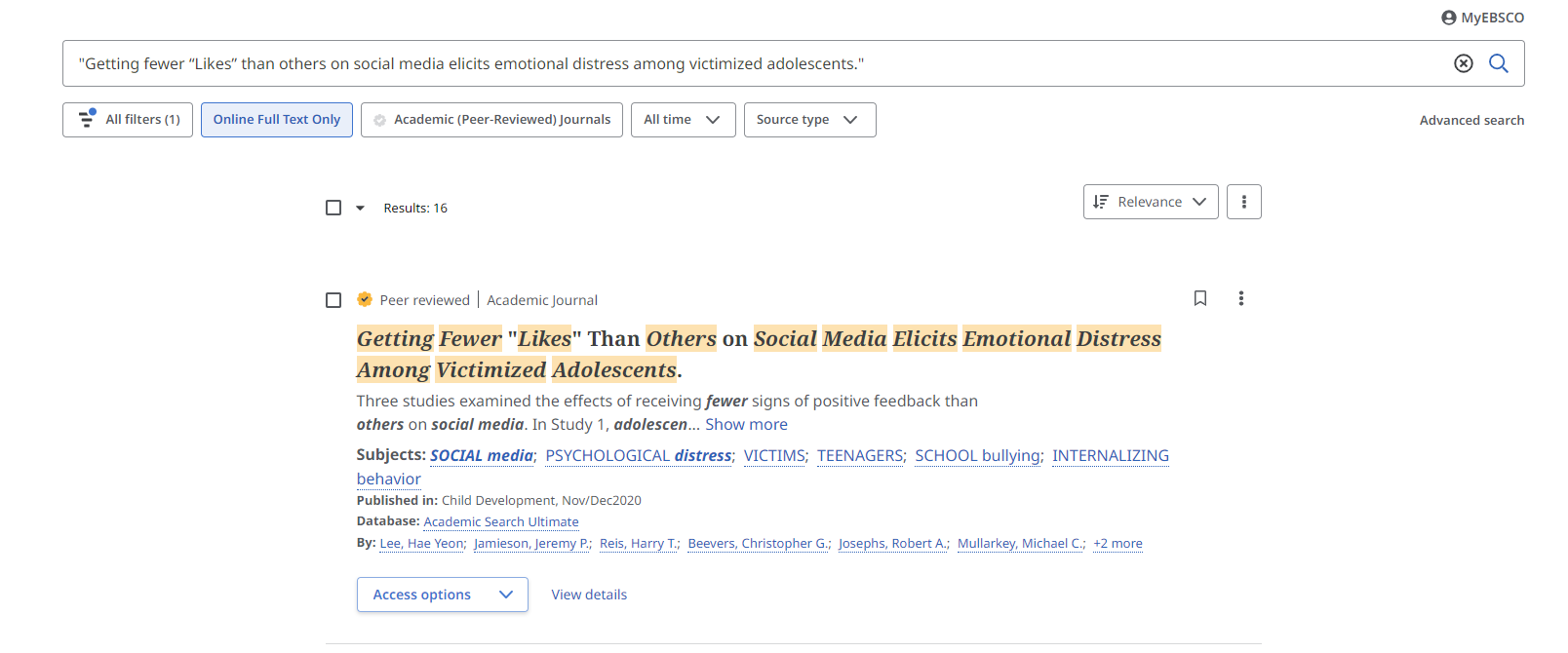
A new window will open with the results. If the Library provides access to the article, you will be able to click on the title, as shown here:
If you cannot find it by searching the title, you can also try to search one (or more) of the author's names in UCanSearch.
For resources that you cannot find at the Library, click on the DOI (Digital Object Identifier) url of the article, when possible. The DOI may not provide you access to the full-text content, but you may be allowed to read the article's Abstract.
Abstracts are useful, as you can learn about the article’s topic, argument, and methods. This can help you decide whether it is relevant to your research.
You can also request materials from other libraries using the Interlibrary Loan (ILL) service. Visit our ILL Page for more information and to make a request.
It is important to keep track of all of your articles and sources you used for your assignment, so you can properly cite your sources and avoid accidental plagiarism. These are the different ways you can save your sources from UCanSearch:
One way to save an article is to directly download it to your computer. Many articles on UCanSearch have an option to download a full PDF document of the article. Click on the "Download" button (if available), or the "Access Options" button:
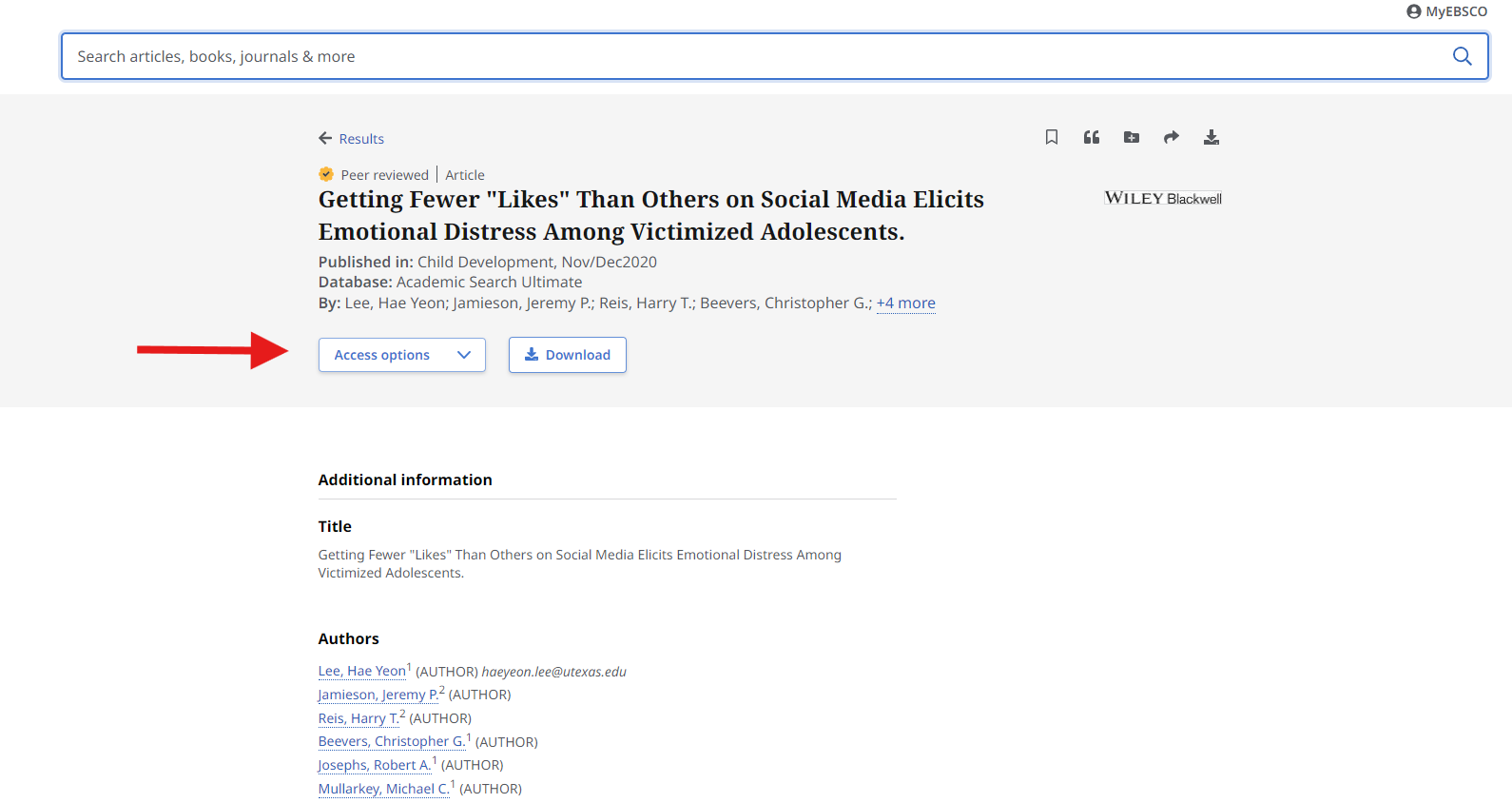
Once you download the article, it will save the article to your downloads folder on your computer. It is a good idea to move this file to a specific folder for your assignment. That way, you can keep all of your articles together in one place.
Another way to save an article is to send it to your personal email adress to look at later. This is especially helpful if you are not on your own computer (like the Library computers). When you are on the article page, click on the "Share" button on the top right corner, then select "Email." An option to enter your email address will pop up:
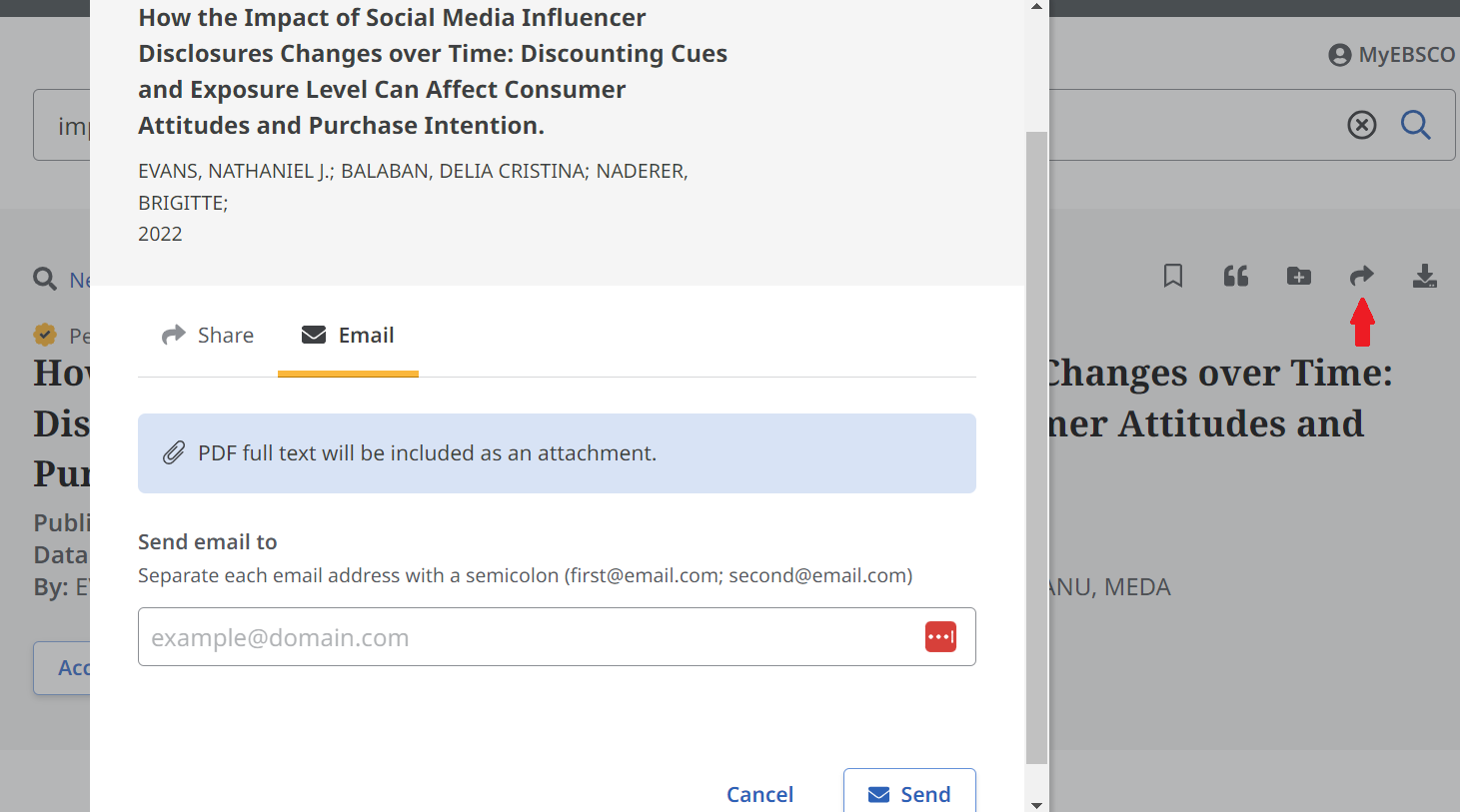
You can enter any email address you like. It does not have to be your UCW email address.
Lastly, you can copy the address bar URL of the article, so that you can go back to the article page on UCanSearch. Simply highlight and copy the link that is at the top of your browser, then paste it into your document:
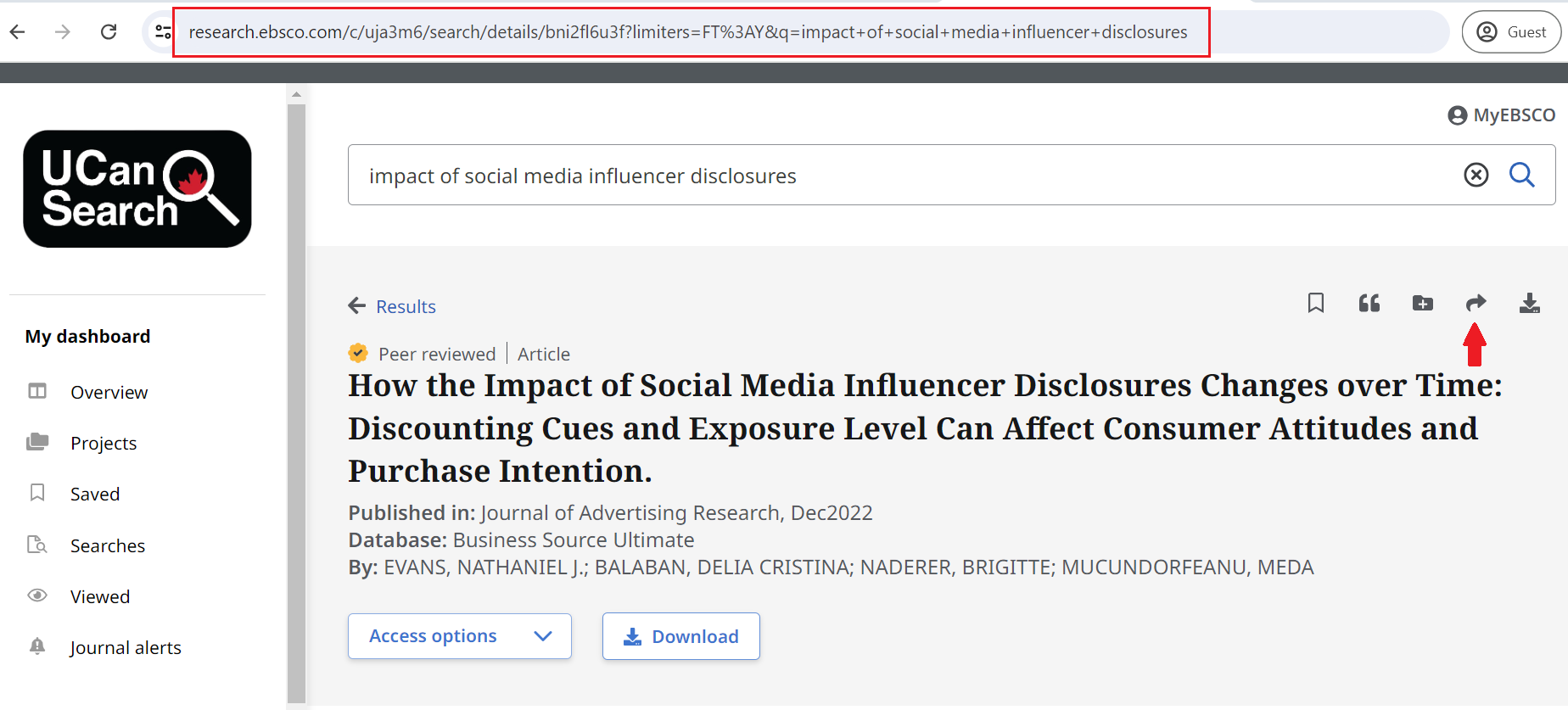
Note: It is a good idea to save all of these links in one document along with their citation information, so it will be easier to compile your references list later on.
 Your instructor may arrange to visit the local public library, called Vancouver Public Library (or VPL). Public Libraries offer many other resources besides borrowing materials, and it is all available to you for free. Public Libraries are also great places to study, print, and usually have extended opening hours. While you may be visiting VPL, you should also check out the library of the area you live in, and apply for a library card.
Check out our Public Libraries page for more information on the VPL visit, and what public libraries have to offer.