
Whether you've never used citations or are an APA expert, you're in a good place on your academic journey.
The UCW Library is here to guide you through your time at university. We provide online and in-person help with research, citations, paraphrasing, and more.
In reading this guide, you will:
Academic research is an organized process that helps you find information. Most academic research sources are scholarly, meaning they are peer-reviewed, expert-written texts. Depending on your instructor's guidelines, you may use non-academic sources for the assignment. These include newspapers, magazines, and websites.
TIP: look at the document to determine the source type. What visual clues indicate that you are looking at an academic source? If you're unsure how to answer, check the library's guide on assessing sources.
The following steps outline the typical research process.
Brainstorm: Develop a research question and think of some keywords. These help with your research and finding good information.
Search: To find scholarly information, go to UCanSearch in the UCW Library portal. Think about how you can broaden or narrow your results using the filters and keywords!
It is important to keep track of all the sources you used for an assignment. Creating a reference list as you find useful sources saves time. It prevents you from having to track down where you found information later. Staying organized also helps you avoid accidental plagiarism.
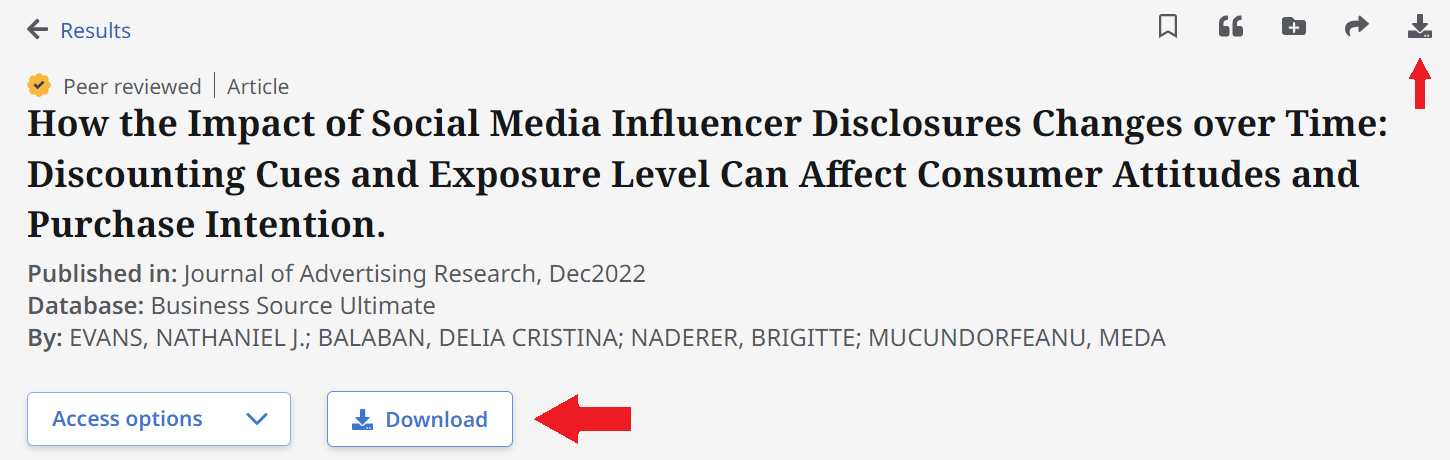
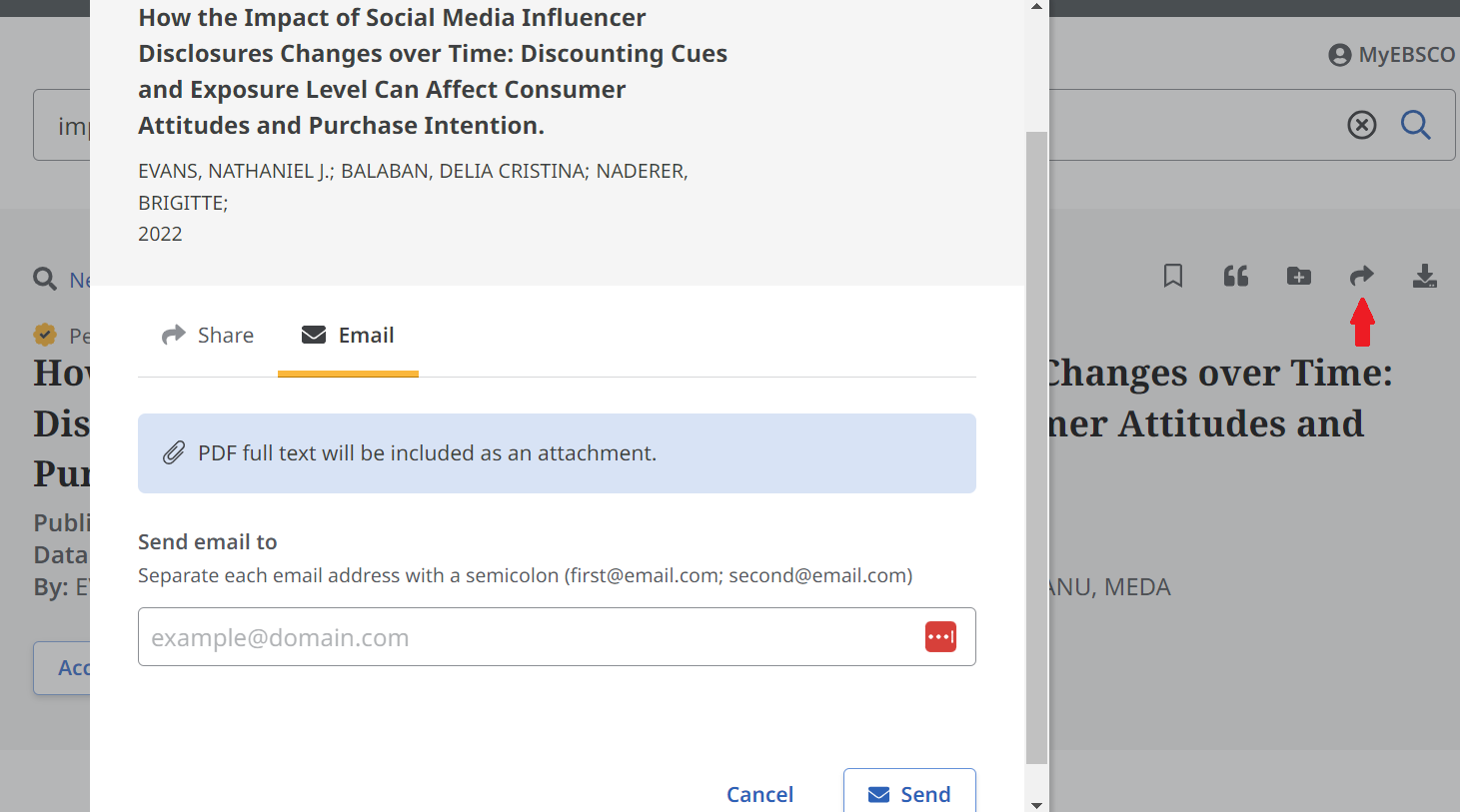
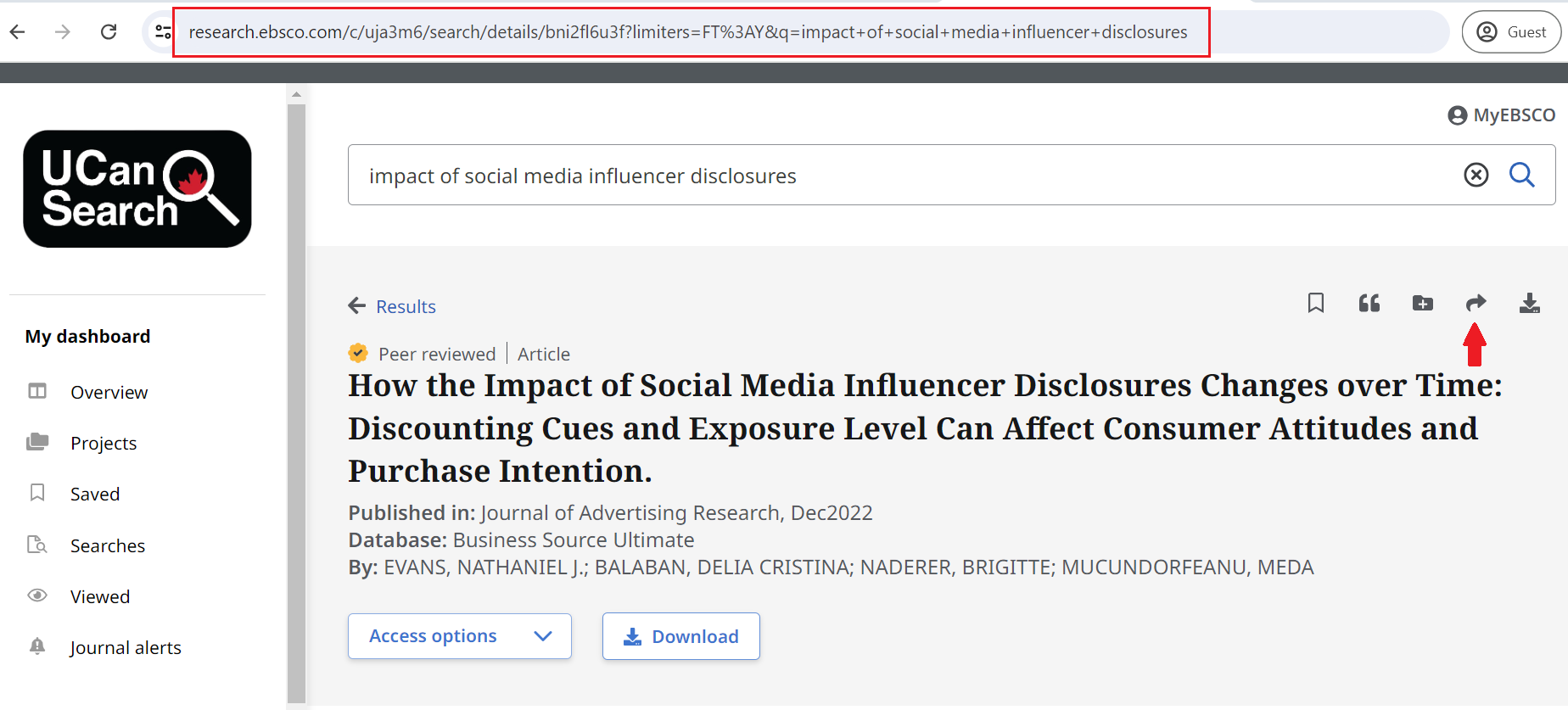
These are the three different ways you can save your sources from UCanSearch:
Citing is giving credit to the sources you have used to write your assignment. You will likely use APA (or American Psychological Association) citations. Other styles, like MLA and Chicago, also exist. The following resources will give you a start on APA.
There is a lot to learn, but if you ever get stuck, you can get help from a librarian.
| Academic Integrity and APA Page | This page covers the basics of APA Style Citation. It includes sample documents to show you how to write and format your citations. |
| APA Quick Guide | UCW offers a distinct resource for frequently cited sources. It provides detailed guidelines and examples for formatting and citing your work. |
| APA: The Basics Nearpod Workshop | This workshop explains all the rules of APA citation and provides opportunities to practice! |
| APA: The Basics Video Series | Each video in this series is between 3-5 minutes long and focuses on one key element of the APA Citation Style. |
The Library is here to help with you through the research process!
To get one-on-one help, or learn more about academic research, visit the resources listed below:
There are a lot of additional support services available while you are a student here at UCW - make the most of them!
This account gives you free access to Word, Excel, PowerPoint, OneNote and personal cloud storage. Your Microsoft 365 account is required to access all desktop computers and printing on campus.
See the Student IT Resources section of the MyUCW Portal for step-by-step instructions for setting up your Microsoft Office 365 account.
Having trouble? Contact IT via the helpdesk or email ([email protected]).
You can print in the library. You will need your Microsoft 365 login information in order to print.
At the start of your program at UCW, $5.00 of printing credit is applied to your account. If you need more printing credit, contact IT ([email protected]) or ask a librarian to add more credit to your account.
The library does not provide laptops. The library has a limited number of Microsoft Surface tablets that you can borrow for a maximum of 7 days at a time.
Did You Know: you can attend your class from the library! Bring your laptop or use a desktop computer.
Headphones required (available from the library)